Description
This document describes how to fix "You have not enabled 'network server'" Error on the Gateway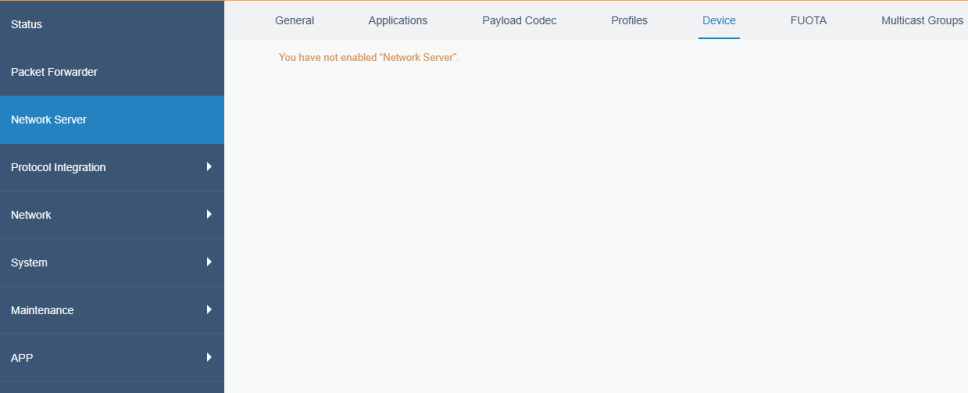
Checklist
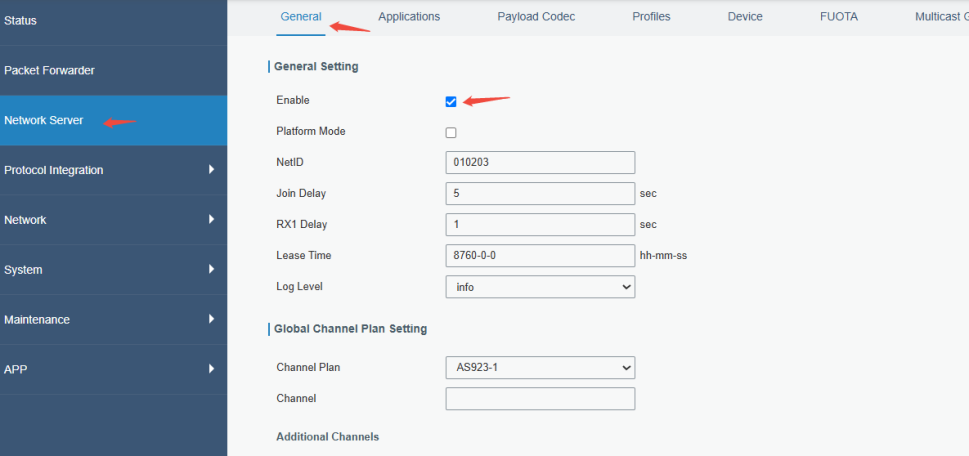
Step 1:Please go to Network server --> General,check if the network server has been enabled.
Step 2: Clear the browser cache or use a private browsing mode to access the website, and check if there are working.
Step 3: Please upgrade to the latest firmware version.
https://www.milesight.com/support/resources/firmware#lorawan-gateway
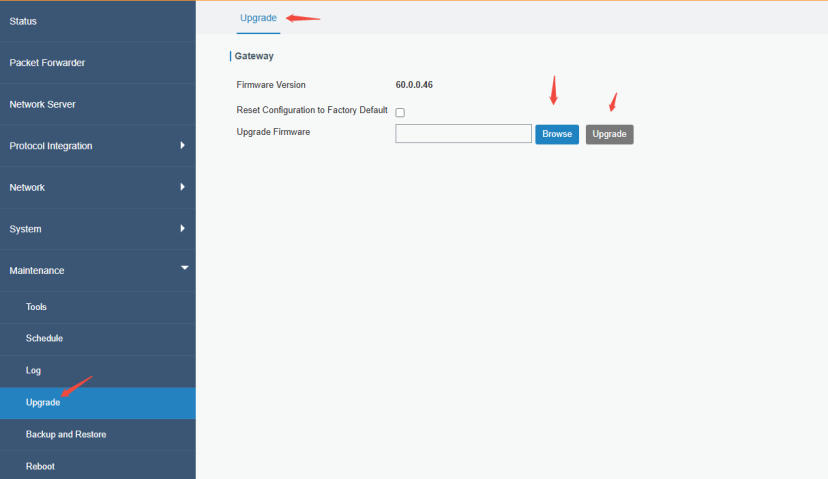
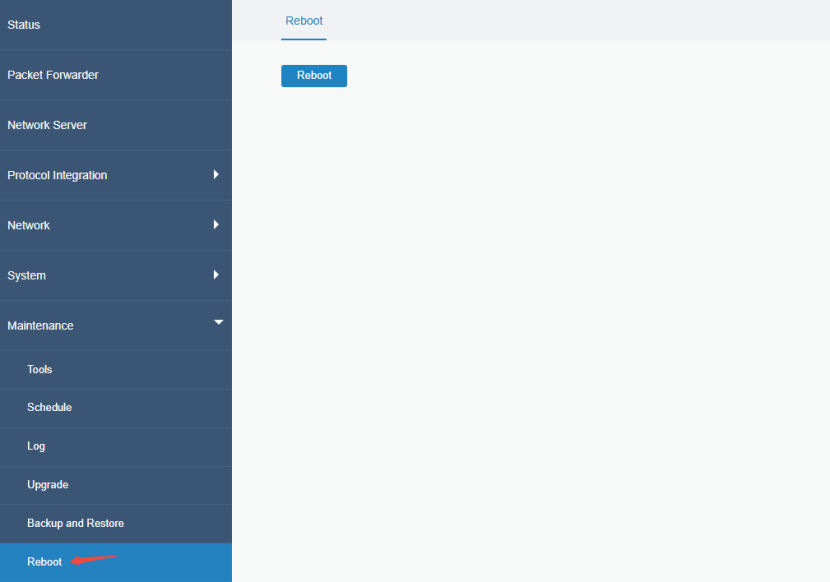
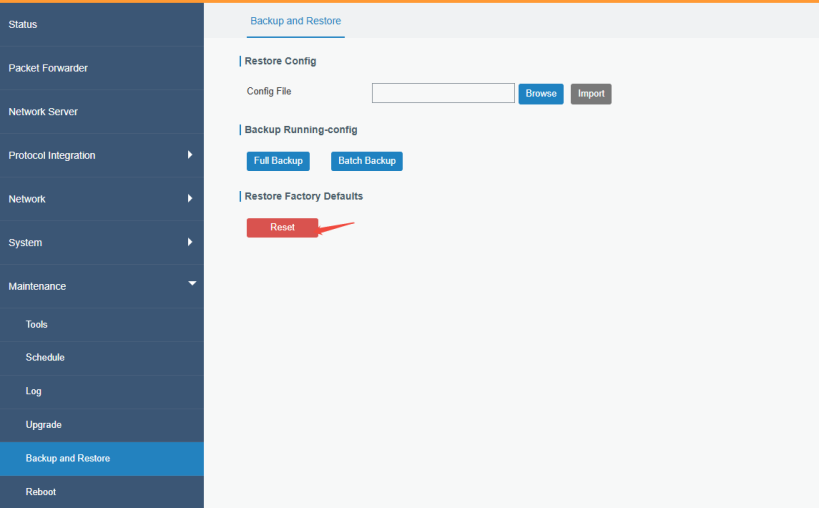
Step 4: If it still so, please reboot the gateway and check it. Or reset the gateway
(After resetting, the device will be restored to its factory settings. Therefore, please remember the important configurations before)
Step 5: Download the gateway log and contact Milesight IoT Support.
Please refer this document download the gateway debug log.
How to Get Milesight Gateway Log Files
And we would like you to send us the situation and result of your troubleshooting via screenshot and text description to improve the speed of problem troubleshooting.
You can create Tickets or send an email directly to Milesight IoT Support.
Ticket System: https://support.milesight-iot.com
Email address: iot.support@milesight.com
----END----
Was this article helpful?
That’s Great!
Thank you for your feedback
Sorry! We couldn't be helpful
Thank you for your feedback
Feedback sent
We appreciate your effort and will try to fix the article