Description
This article primarily explains how to batch configure the IP addresses for VS125 and VS13X PoE devices.
Requirement
l CV_Tool
l VS125
l VS13X-P
Configuration
Step 1:
Download the local tool cv-tools, which can scan all devices within the local network based on the IP of your computer.
https://resource.milesight-iot.com/Support/Van/%E8%BD%AF%E4%BB%B6/cv_tool-1.0.5-a1.zip
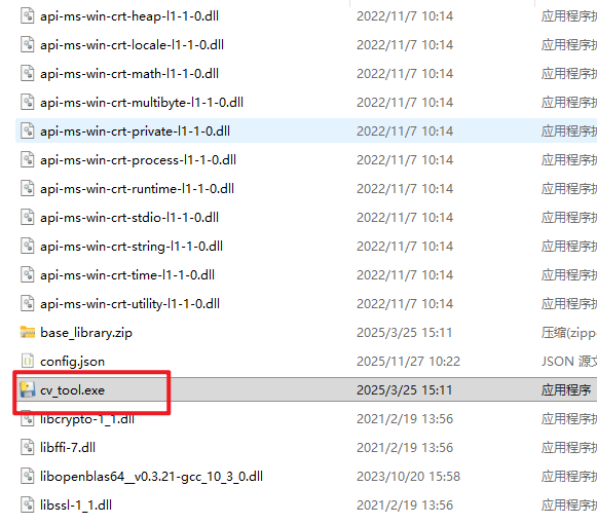
Then unzip it and click cv_tool.exe file.
Step 2:
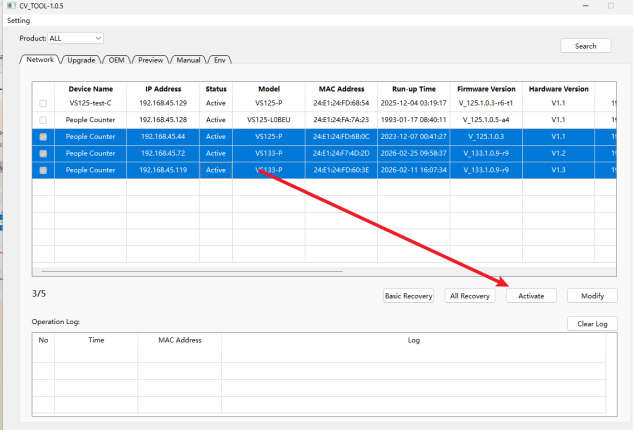
If your device has not been used or activated before, you need to click the "Activate" button to activate it before proceeding with the configuration. You can select multiple devices at once by holding Shift + Left Click.
If has done before, just skip this step.
Step 3:
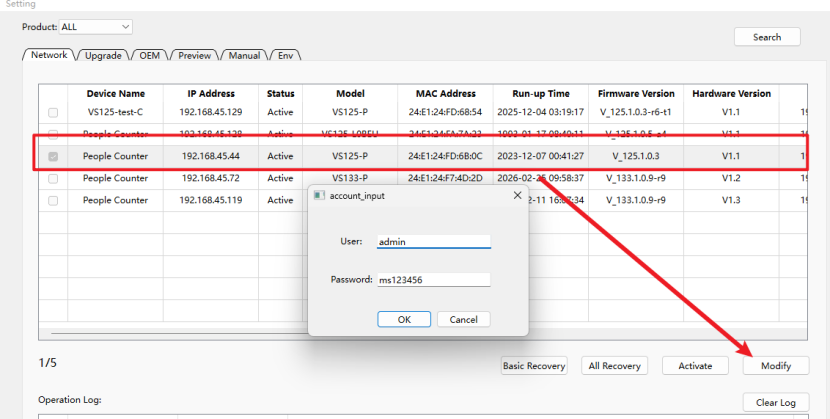
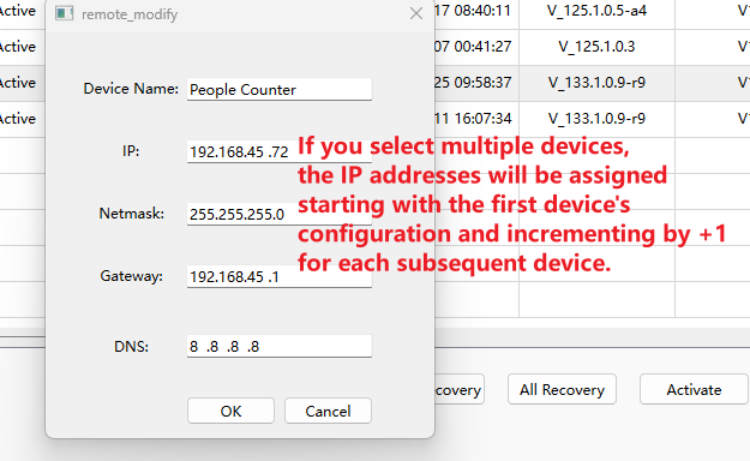
After activating, select devices you want to configure. Then click the “Modify” button to configure their IP addresses in bulk. The IPs will increase sequentially by +1. The default password is “ms123456”.
——END——
Was this article helpful?
That’s Great!
Thank you for your feedback
Sorry! We couldn't be helpful
Thank you for your feedback
Feedback sent
We appreciate your effort and will try to fix the article