Description
This article primarily explains how to use the BACnet functionality of the VS125-P.
Requirement
- l Firmware version 1.0.5-r1 and above
- l BACnet Client Tool Yabe
Configuration
Step 1.
Access the web interface and navigate to Communication -> Data Push Setting -> BaCnet. Then enable BACnet and save.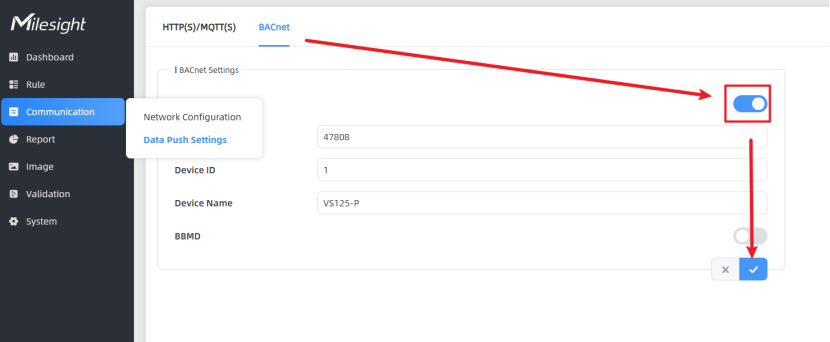
UDP Port: Configures the port for BACnet/IP protocol communication. Using this protocol enables the device to communicate with other devices within the BACnet network.
Device ID: Used to configure the unique device instance identifier for this device within the BACnet network.
Device Name: Used to configure the name for this device within the BACnet network.
Step 2:.
Configure BACnet instance objects in BACnet Object Settings.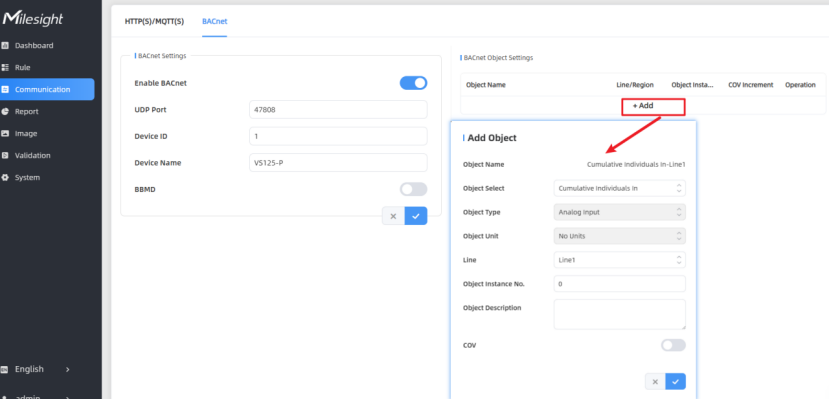
Object Name: Displays the object name, composed of the selected object's (variable data) name and line/region.
Object Select: Selects the device's variable data as a BACnet object.
Object Type: Object type, default selection based on the object.
Object Unit: Object unit, with the unit selected by default based on the object type.
Line/Region: Select Line/Region-related device objects as BACnet objects.
Object Instance No.: Configures the device's object instance number, where the object's unique identifier consists of the object type and instance number.
Polarity: This value represents the polarity attribute of the acquired downstream device's object, defaulting to Normal.
Inactive Text: Inactive text. Default value is 0 for reset and wifi, and 0 for release.
Active Text: Active text. Default value is 1 for reset and wifi, and 0 for release.
Object Description: Configure the object description content.
COV: Enable Change of Value functionality.
COV Increment: Configure the minimum change value for the current object value.
Step 3.
Use a BACnet client tool, such as Yabe. Ensure it is on the same local area network as the VS125-P and perform a scan.
In this example, 192.168.45.200 is Yabe’s IP. And 192.168.45.129 is VS125-P’s IP.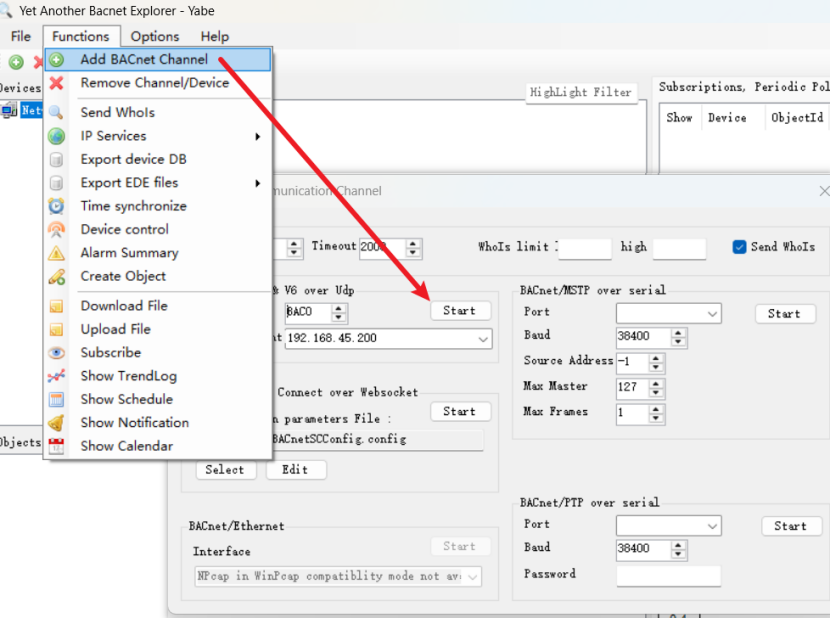
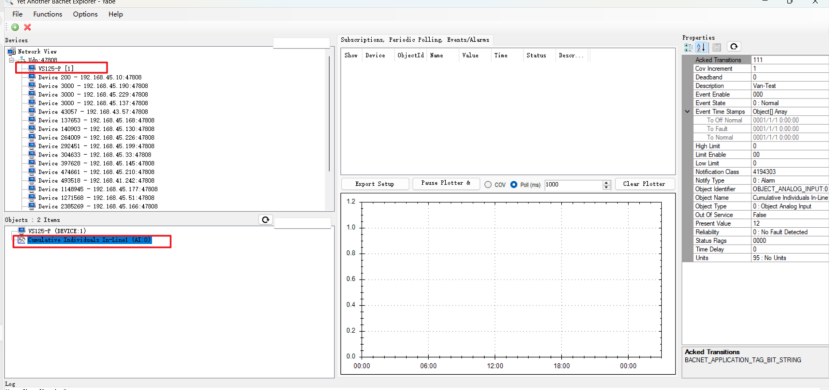
Then you can see the instance objects that have already been added.
-------END-----
Was this article helpful?
That’s Great!
Thank you for your feedback
Sorry! We couldn't be helpful
Thank you for your feedback
Feedback sent
We appreciate your effort and will try to fix the article