Description
The article explains how to add VS125 to the Beaver IoT Platform.
Since VS125 is not a Lora device, it is necessary to first add VS125 to the Development platform, and then add it to the Beaver IoT Platform through the OpenAPI function.
Requirement
- Milesight VS125
Configuration
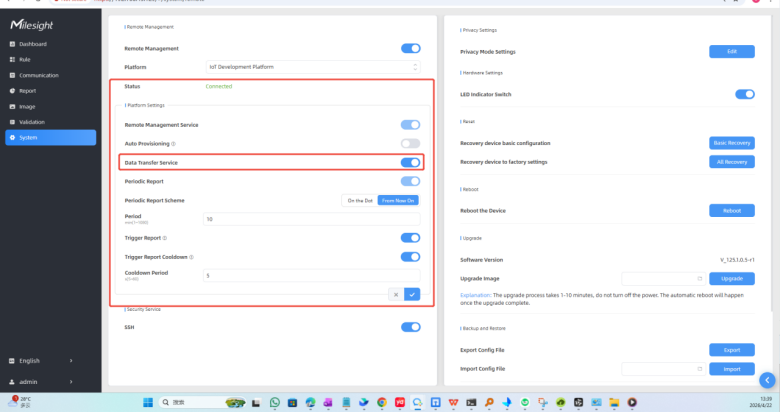
Step 1. Connect the VS125-P to Milesight development platform.And enable the Data Transfer Service function
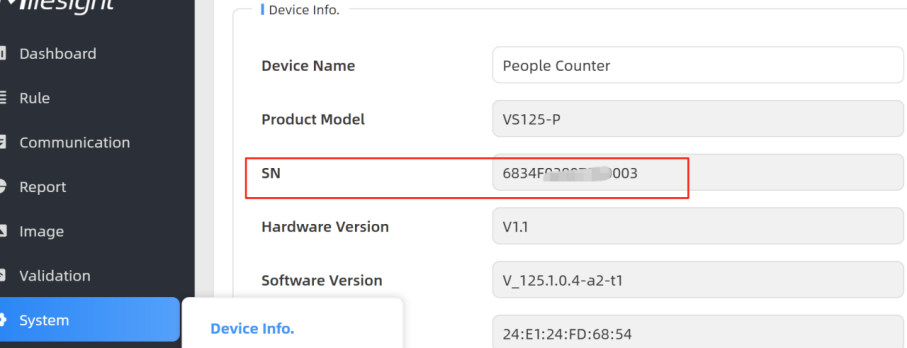
Step 2. Copy the device serial number of VS125, and then add VS125 to the Milesight Development Platform

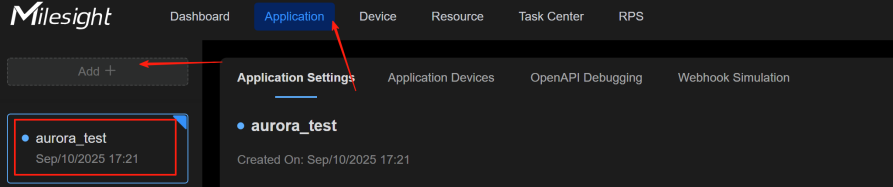
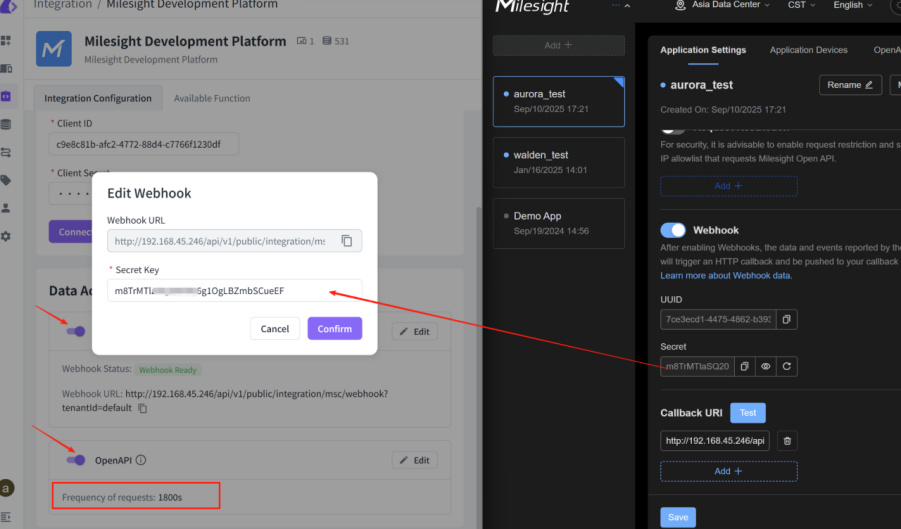
Step 3. Add a application on Milesight development, and configure the openAPI and webhook on both Beaver IoT platform and Milesight development platform.
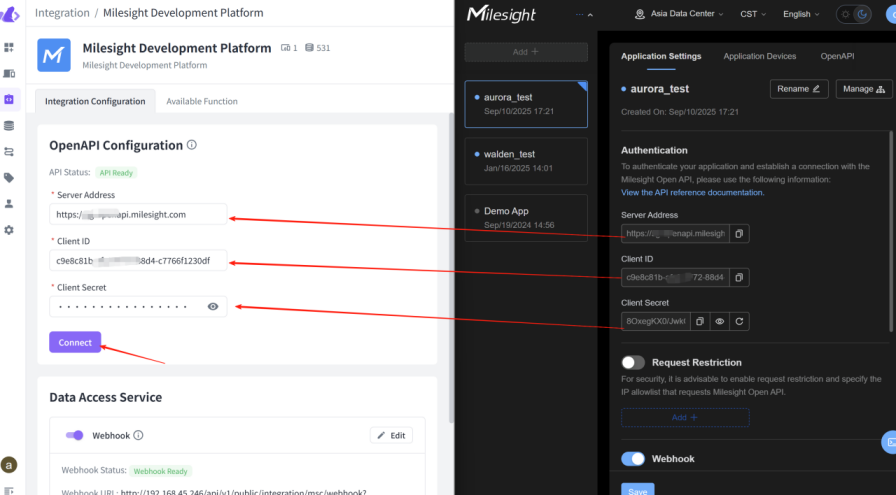
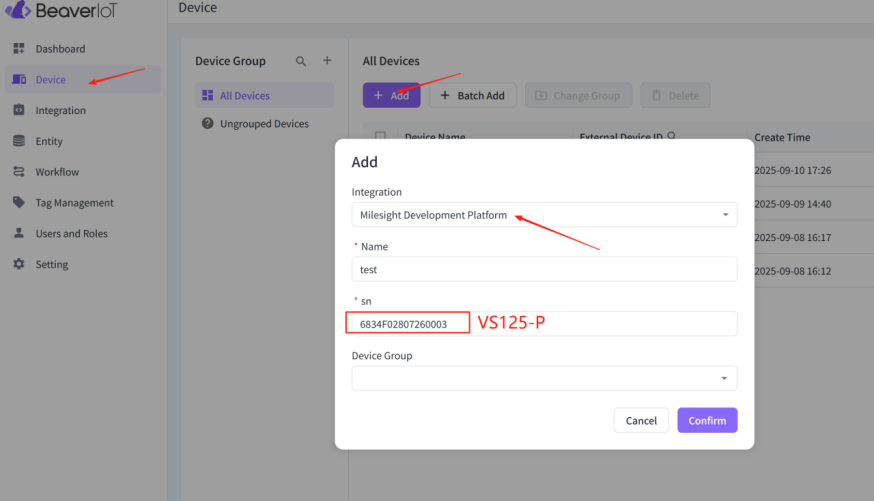
Step 4. Add VS125-P to Beaver IoT platform.
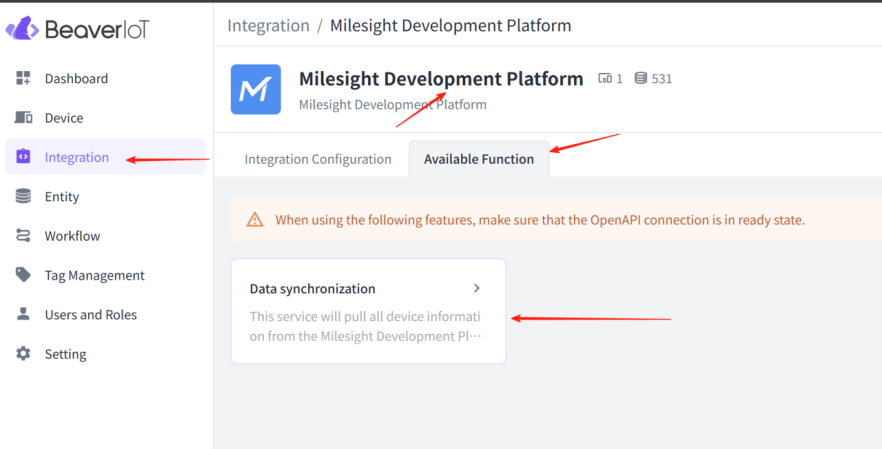
Step 5. Sync the VS125-P data from Milesight development platform to beaver IoT platform.
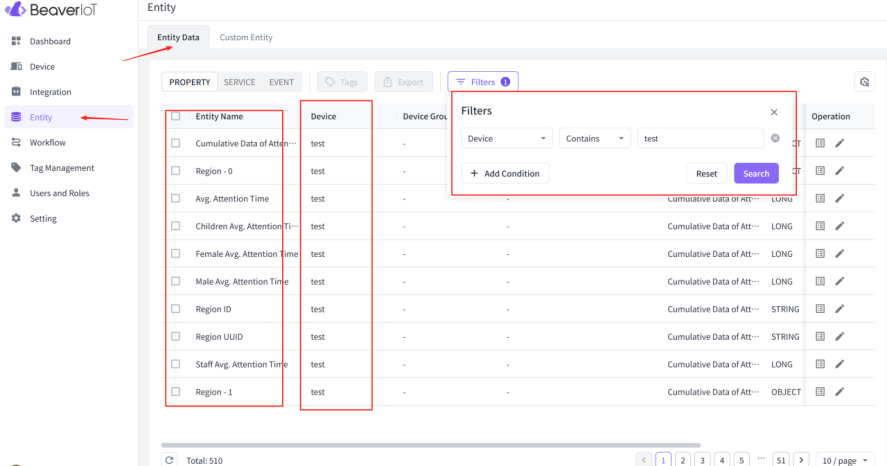
Step 6. Wait for a while, and then the VS125-P entity data automatically appears on the Beaver IoT Platform.
---END---
Was this article helpful?
That’s Great!
Thank you for your feedback
Sorry! We couldn't be helpful
Thank you for your feedback
Feedback sent
We appreciate your effort and will try to fix the article