Description
This article will describe how to use COM port to reset CT series.
Due to CT Series don’t have physical reset button, we would use TCPCOM connecting CT1XX/CT3XX to reset device.
Requirement
- Milesight CT1XX/CT3XX.
Steps
Step 1: Connecting CT101 to PC using Type-c cable.
- 1. Open Device Manager to see if PC can recognize COM port. (CH340)
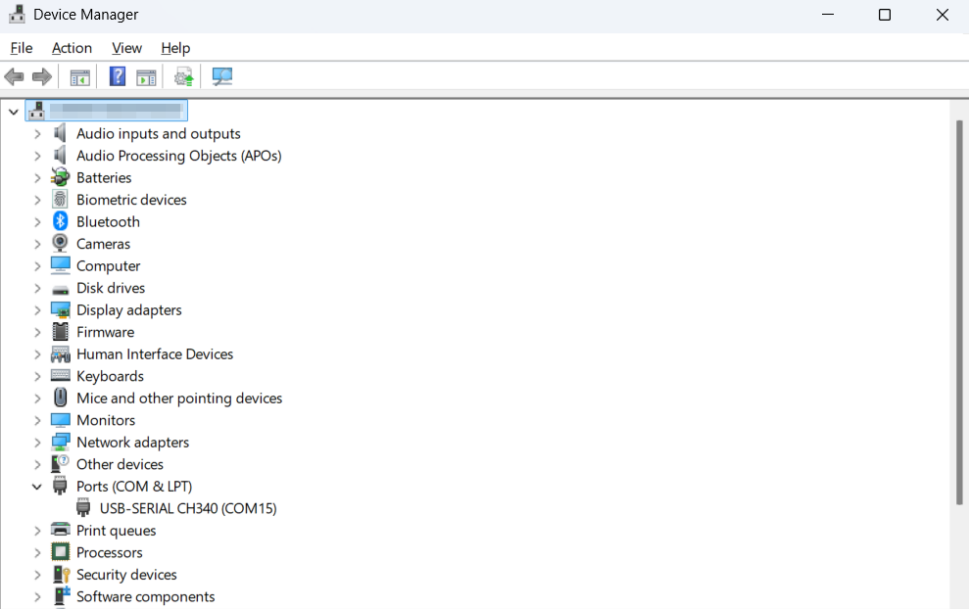
If not, please try install this Driver.
https://resource.milesight-iot.com/Support/Aslan/driver/CH341SER.EXE
If yes, download TCPCOM.
Step 2:Use TCPCOM to send reset command.
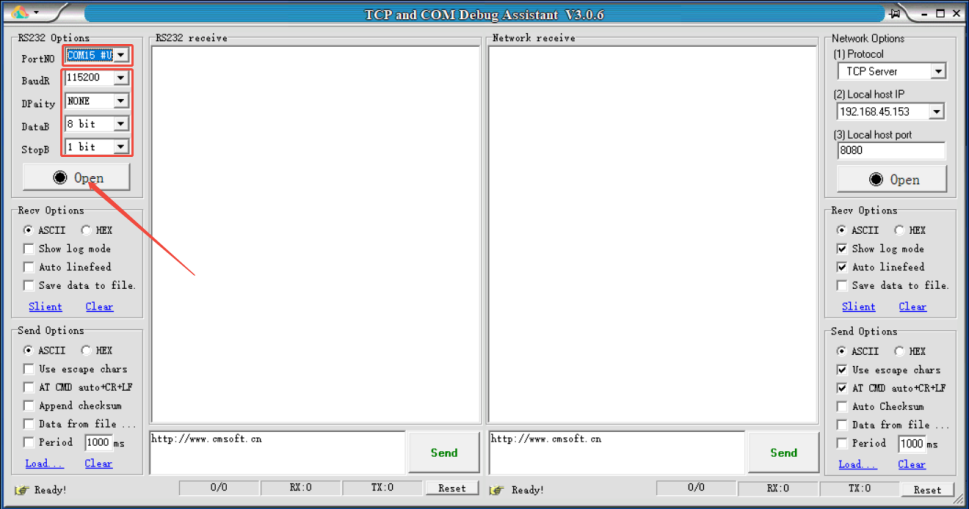
- 1. Choose the right com port and fill in the same parameters like this picture. Then click open.
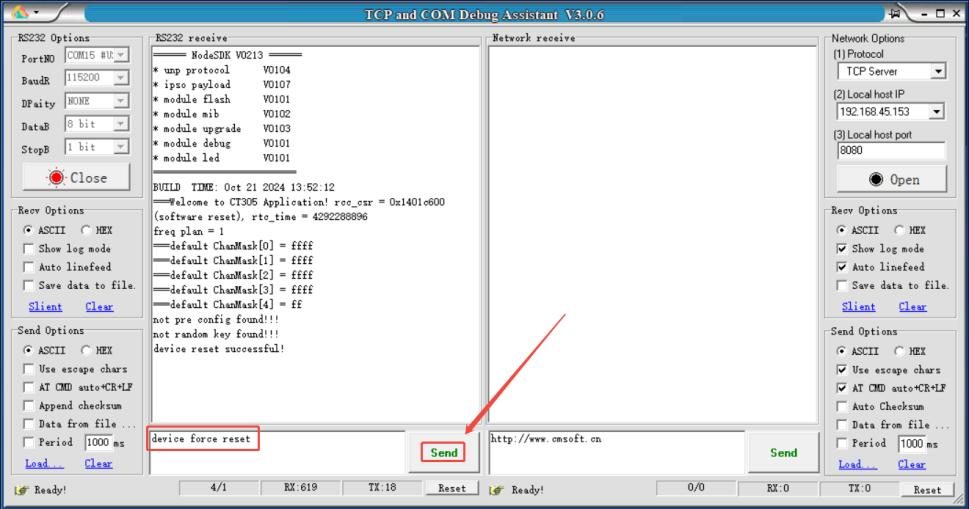
- 2. Send command device force reset to reset device.
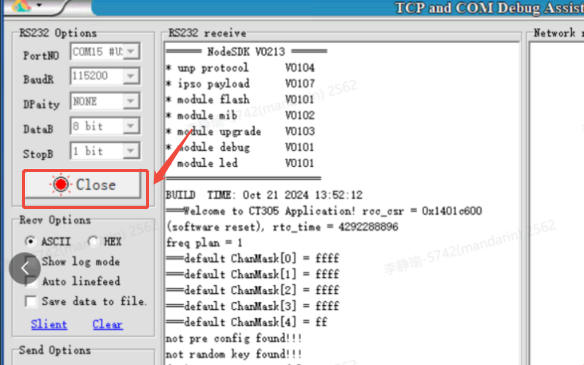
After device have been reset, remember to close connection.
The reset progress have been done, feel free to use Toolbox PC to configure the CT sensor again.
--- END ---
Was this article helpful?
That’s Great!
Thank you for your feedback
Sorry! We couldn't be helpful
Thank you for your feedback
Feedback sent
We appreciate your effort and will try to fix the article