Description
This article provides the solution to enable or disable the Bacnet Server function via Node Red.
Requirement
- Milesight Gateway: UG56/UG65/UG67
Configuration
Step 1: Launch Node-RED and Import Flow Example
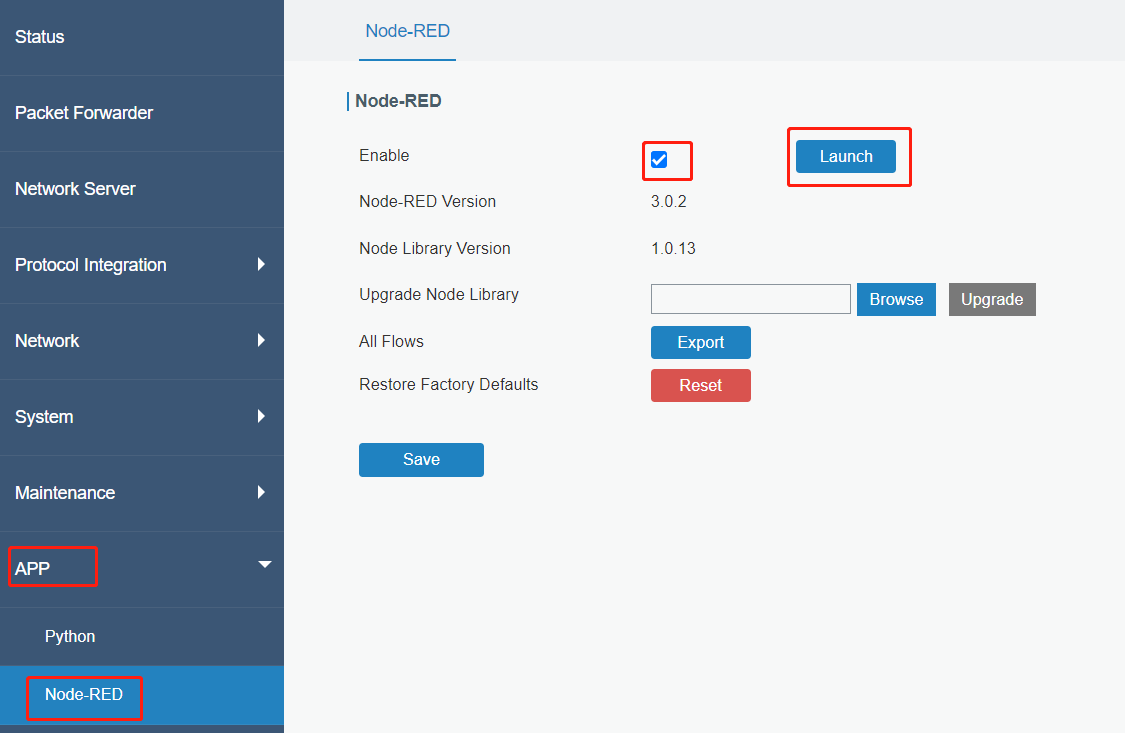
1. Go to App > Node-RED page to enable Node-RED program and wait for a while to load the program, click Launch button to start Node-RED web GUI.
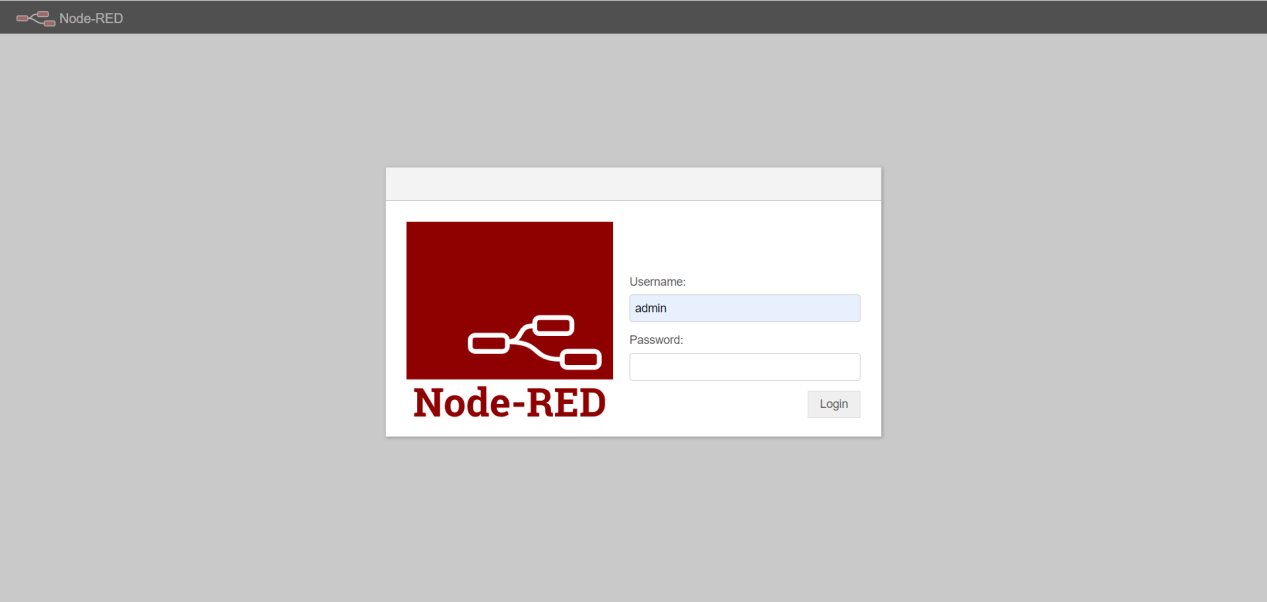
2. Log in the Node-RED web GUI. The account information is the same as gateway web GUI.
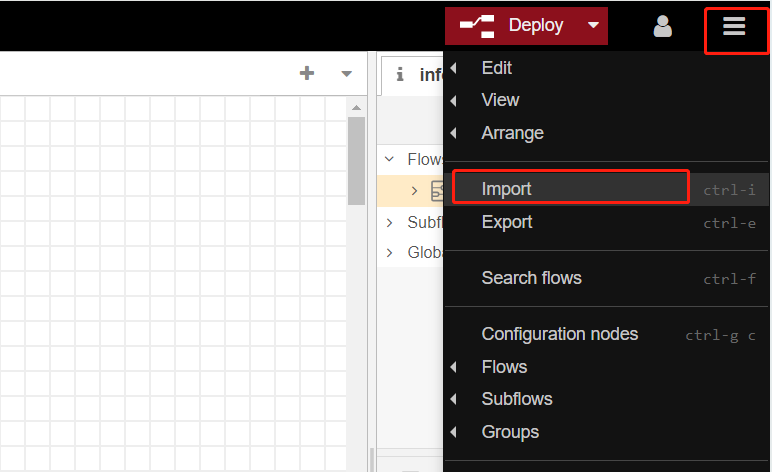
3. Click Import to import the node-red flow example by pasting the content or import the json format file.
Step 2: Node-RED Configuration
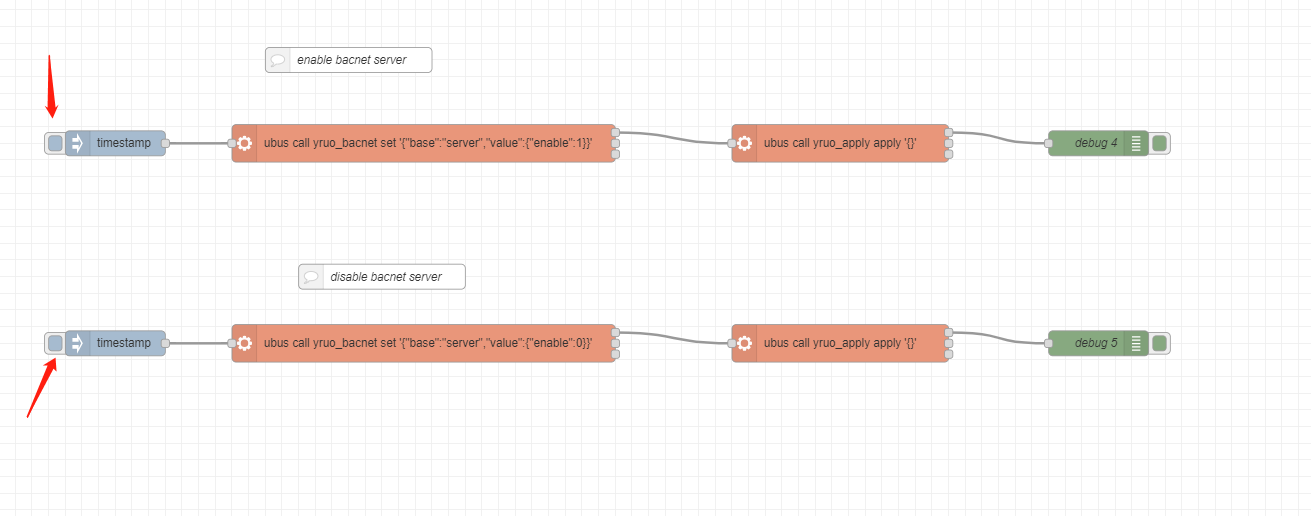
Flow structure:
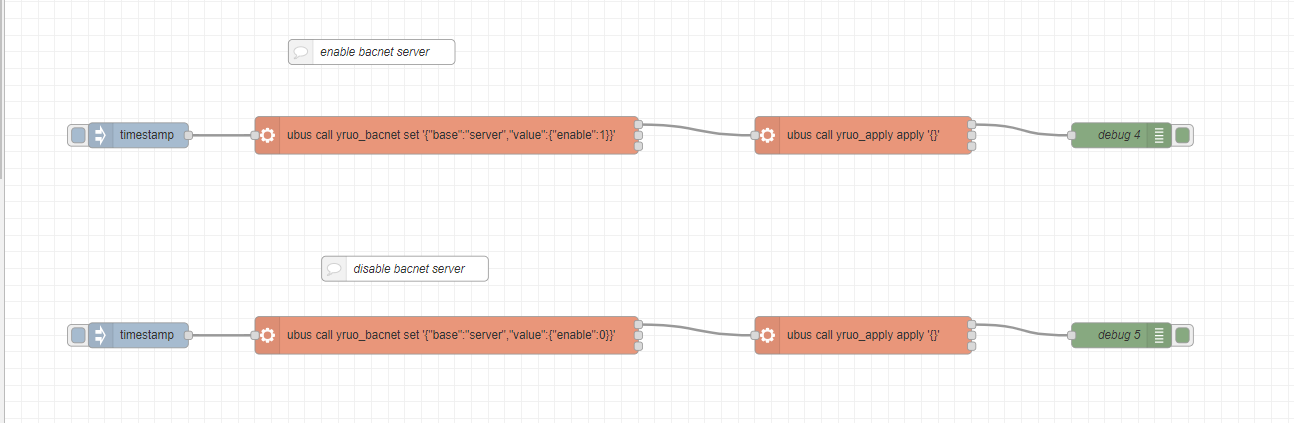
Content:
[{"id":"7589516315698661","type":"tab","label":"Flow 1","disabled":false,"info":"","env":[]},{"id":"7bec7b598cf49c51","type":"inject","z":"7589516315698661","name":"","props":[{"p":"payload"},{"p":"topic","vt":"str"}],"repeat":"","crontab":"","once":false,"onceDelay":0.1,"topic":"","payload":"","payloadType":"date","x":160,"y":220,"wires":[["459477d2f15607c2"]]},{"id":"459477d2f15607c2","type":"exec","z":"7589516315698661","command":"ubus call yruo_bacnet set '{\"base\":\"server\",\"value\":{\"enable\":1}}'","addpay":"","append":"","useSpawn":"false","timer":"","winHide":false,"oldrc":false,"name":"","x":530,"y":220,"wires":[["3870db5ec03e6697"],[],[]]},{"id":"3870db5ec03e6697","type":"exec","z":"7589516315698661","command":"ubus call yruo_apply apply '{}'","addpay":"","append":"","useSpawn":"false","timer":"","winHide":false,"oldrc":false,"name":"","x":1030,"y":220,"wires":[["e0af7e878cc5c708"],[],[]]},{"id":"e0af7e878cc5c708","type":"debug","z":"7589516315698661","name":"debug 4","active":true,"tosidebar":true,"console":false,"tostatus":false,"complete":"true","targetType":"full","statusVal":"","statusType":"auto","x":1340,"y":220,"wires":[]},{"id":"1b0828ef1a5181b6","type":"inject","z":"7589516315698661","name":"","props":[{"p":"payload"},{"p":"topic","vt":"str"}],"repeat":"","crontab":"","once":false,"onceDelay":0.1,"topic":"","payload":"","payloadType":"date","x":160,"y":460,"wires":[["4ce5fc823334b772"]]},{"id":"4ce5fc823334b772","type":"exec","z":"7589516315698661","command":"ubus call yruo_bacnet set '{\"base\":\"server\",\"value\":{\"enable\":0}}'","addpay":"","append":"","useSpawn":"false","timer":"","winHide":false,"oldrc":false,"name":"","x":530,"y":460,"wires":[["329f2998a8fc0498"],[],[]]},{"id":"329f2998a8fc0498","type":"exec","z":"7589516315698661","command":"ubus call yruo_apply apply '{}'","addpay":"","append":"","useSpawn":"false","timer":"","winHide":false,"oldrc":false,"name":"","x":1030,"y":460,"wires":[["b2d5add01993746c"],[],[]]},{"id":"b2d5add01993746c","type":"debug","z":"7589516315698661","name":"debug 5","active":true,"tosidebar":true,"console":false,"tostatus":false,"complete":"true","targetType":"full","statusVal":"","statusType":"auto","x":1340,"y":460,"wires":[]},{"id":"486a9750fbf7b69f","type":"comment","z":"7589516315698661","name":"enable bacnet server","info":"","x":440,"y":120,"wires":[]},{"id":"6a90ae09169a8b5f","type":"comment","z":"7589516315698661","name":"disable bacnet server","info":"","x":480,"y":380,"wires":[]}]Step 3: Deploy and Check Result
1. Click Deploy to save all node-red configurations.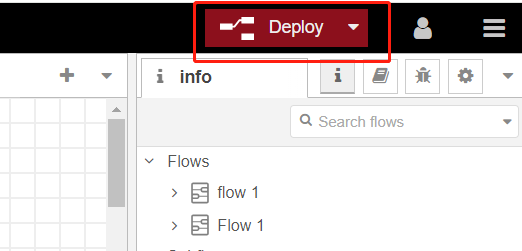
2. Click button to trigger the action to disable or enable BACnet server of gateway.
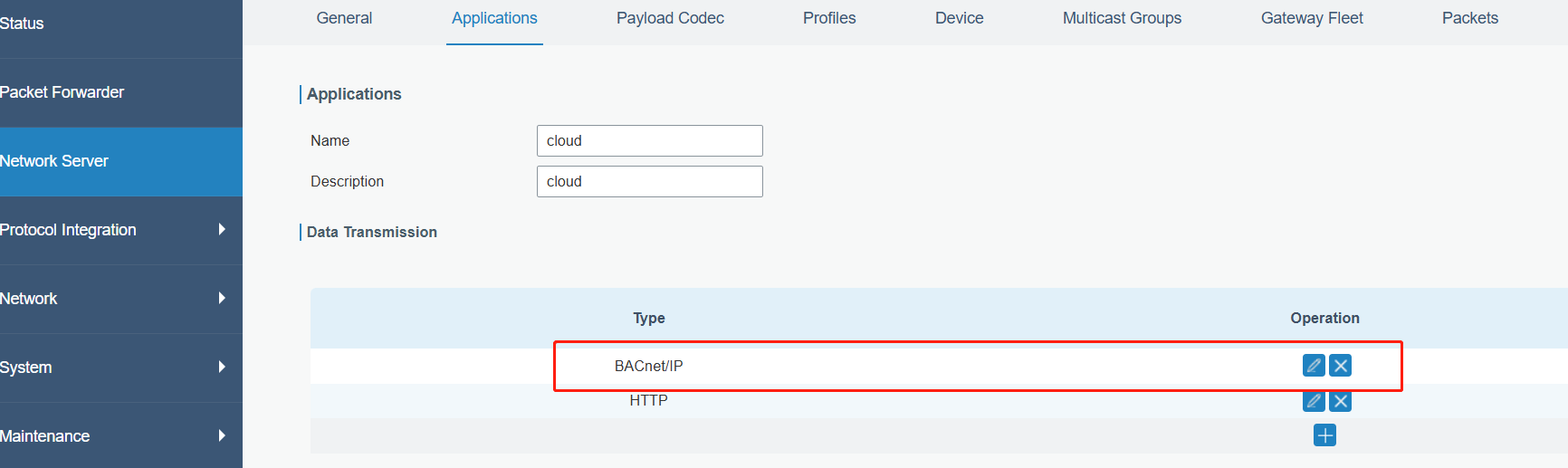
Note: ensure the BACnet/IP is added to Application, otherwise BACnet objects will not update even BACnet server is enabled.
-------END-----
Was this article helpful?
That’s Great!
Thank you for your feedback
Sorry! We couldn't be helpful
Thank you for your feedback
Feedback sent
We appreciate your effort and will try to fix the article