Description
Actility ThingPark platform provides basic station packet forwarder to integrate with standard LoRaWAN gateways. For more details, please refer to ThingPark official guide.
Requirement
- Milesight LoRaWAN Gateway
- ThingPark Account: Community platform, Enterprise platform, etc.
Configuration
ThingPark Platform Configuration
1. Login you ThingPark account, go to Base Stations page to click +ADD BASE STATION.

2. Select Generic type from the manufacturer page.

3. Type below information and click ADD to add this gateway.
- Model: Basics Station packet forwarder
- Name: user-defined
- LRR-UUID: 0016C0-XXXXXXXXXXXXXXXX, where the XXXXXXXXXXXXXXXX is the EUI of the gateway. The EUI can be found on status page of the web GUI of the gateway.
- RF Region: the same as gateway frequency
- Position: set the location of this gateway by typing the address or selecting on the map

After create, a confirm box will pop up.

Gateway Configuration
1. Make sure that your gateway can connect to Internet successfully.

2. Go to Packet Forwarder > General, disable Embedded NS and create a new Destination.
3. Set the destination type as Basic Station, enable this option and input the information of Connecting to an CUPS, and then click Save.

- URI: For ThingPark Community platform, use https://community.thingpark.io:443; for ThingPark Enterprise and other platforms, click here to get the URI.
- CA File:
For cloud-hosted ThingPark Community and Enterprise platform, click here and right click to save the as a cup.trust format file.
For self-hosted ThingPark Enterprise platform, you can find and download the CA certificate as the page shown in the image below.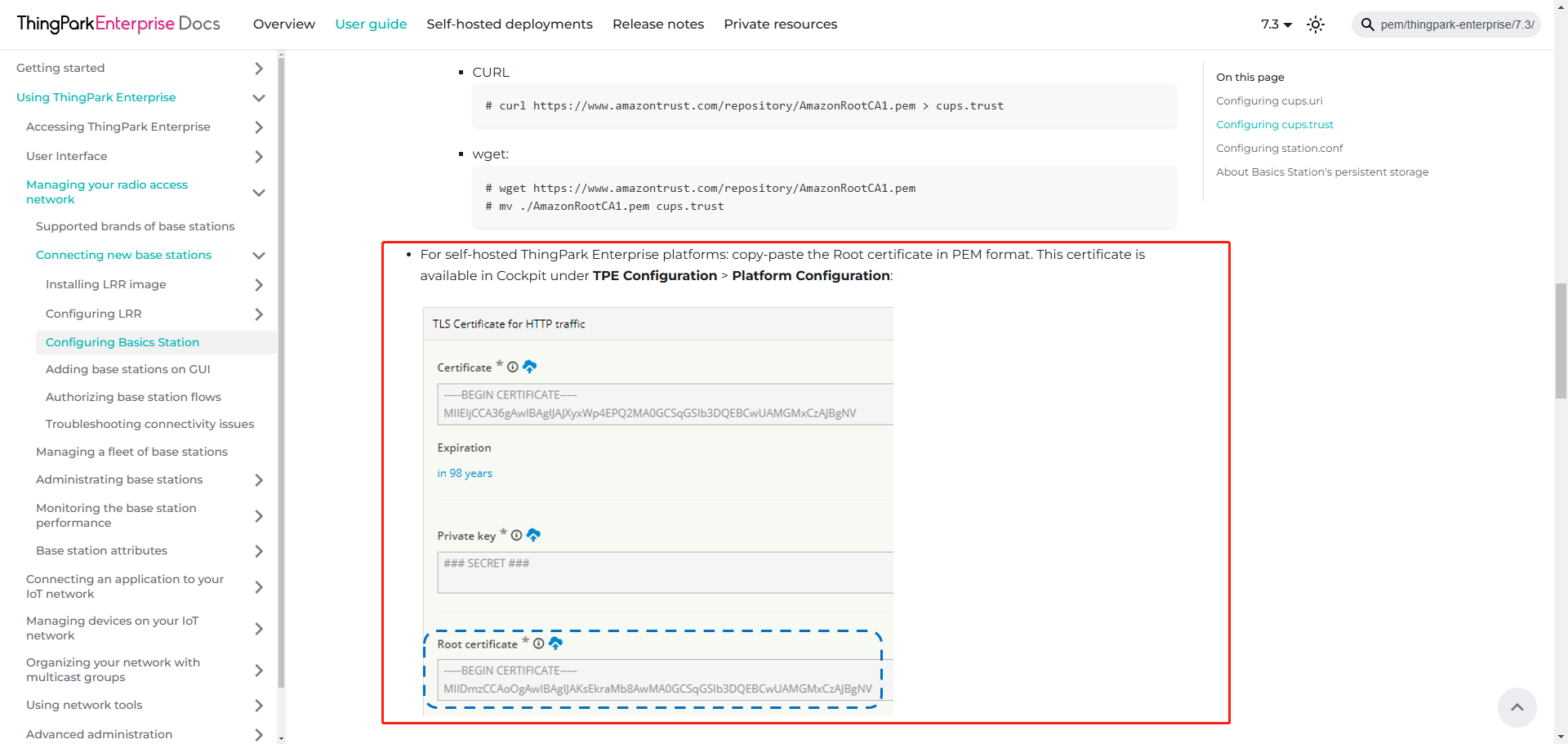
- Client Key File: not import or import a .key format file without any content

4. Check the status on the same page. If the gateway connects to Actility ThingPark successfully, it will show ACTIVE in green.
----END- --
Was this article helpful?
That’s Great!
Thank you for your feedback
Sorry! We couldn't be helpful
Thank you for your feedback
Feedback sent
We appreciate your effort and will try to fix the article