Description
This node-red example provides the solution to set iptables rules permanently of Milesight gateway. You could use this flow to customize the iptables rules in order to allow or restrict specific ip address accessing the gateway.
Requirement
- Milesight Gateway: UG56/UG65/UG67
Configuration
Step 1: Launch Node-RED and Import Flow Example
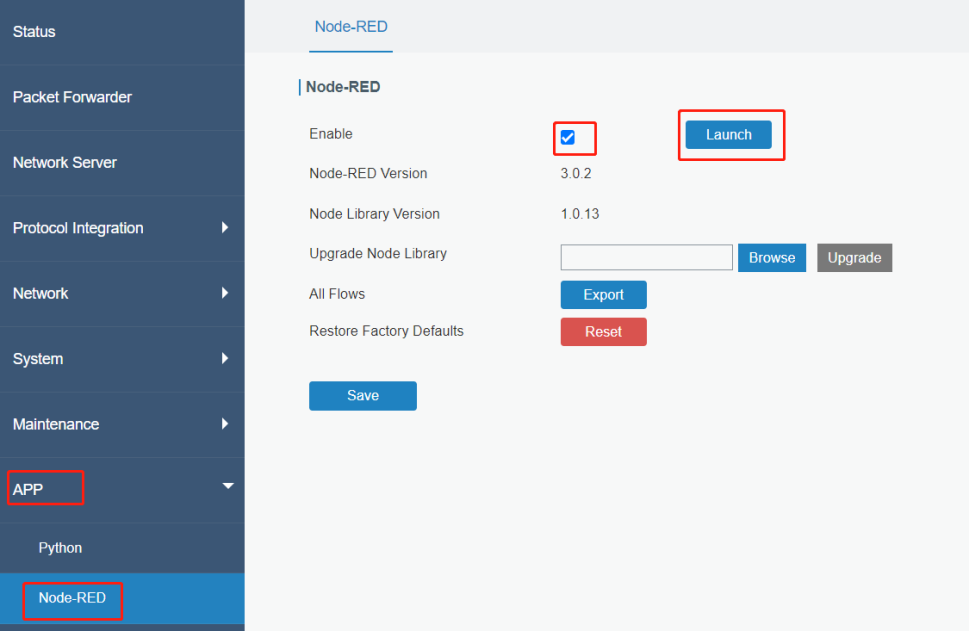
- 1. Go to App > Node-RED page to enable Node-RED program and wait for a while to load the program, click Launch button to start Node-RED web GUI.
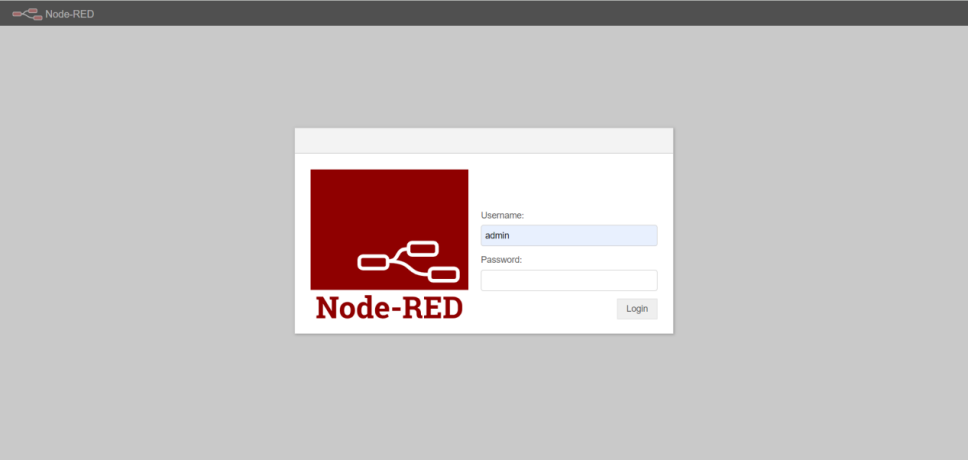
- 2. Log in the Node-RED web GUI. The account information is the same as gateway web GUI.
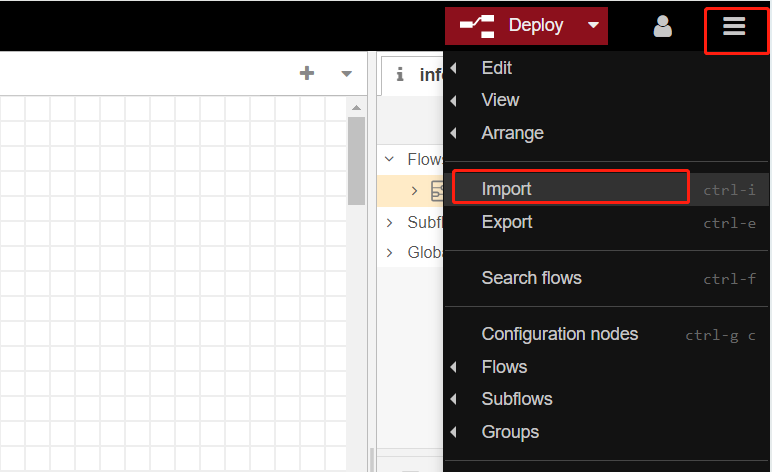
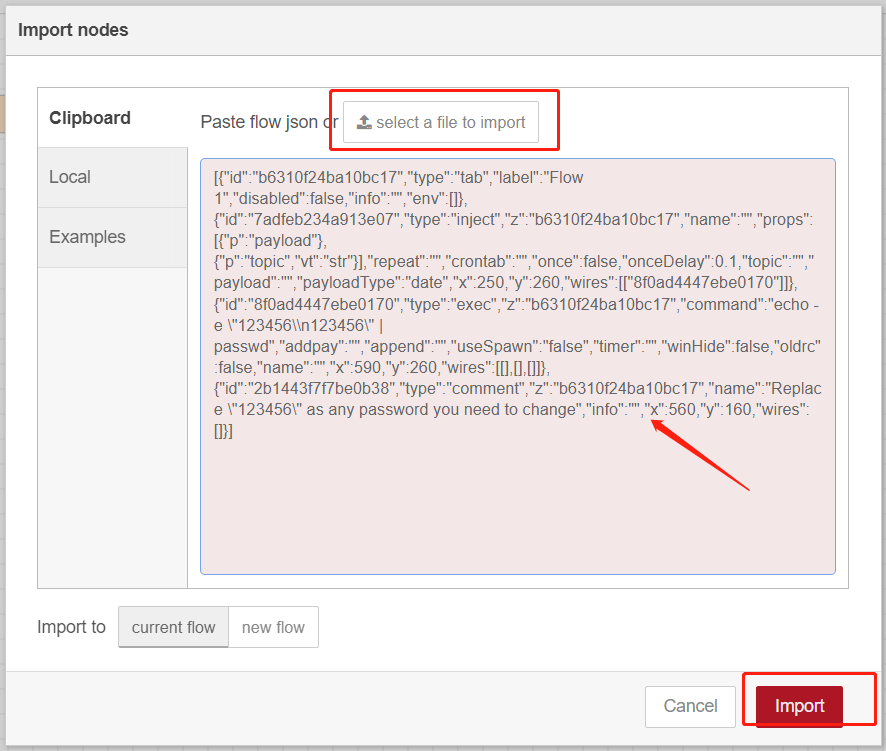
- 3. Click Import to import the node-red flow example by pasting the content or import the json format file.
Step 2: Node-RED Configuration
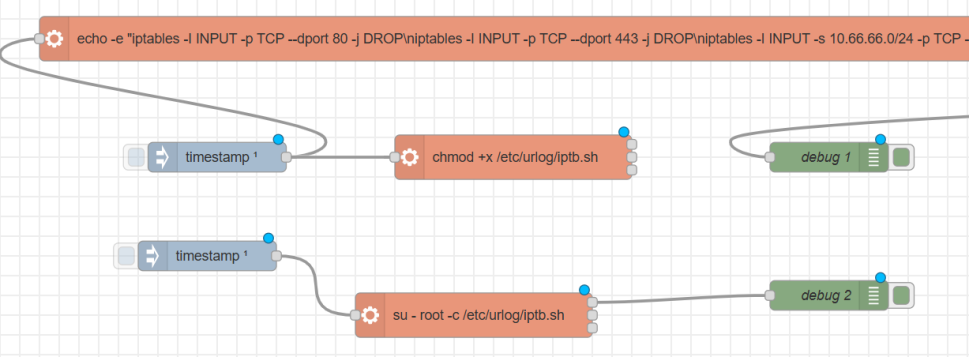
Flow structure:
Content:
[{"id":"9612326a66b7bb48","type":"tab","label":"IPtables","disabled":false,"info":"","env":[]},{"id":"8a89410a2e10ad84","type":"exec","z":"9612326a66b7bb48","command":"echo -e \"iptables -I INPUT -p TCP --dport 80 -j DROP\\niptables -I INPUT -p TCP --dport 443 -j DROP\\niptables -I INPUT -s 10.66.66.0/24 -p TCP --dport 443 -j ACCEPT\\niptables -I INPUT -s 10.66.66.0/24 -p TCP --dport 80 -j ACCEPT\" > /etc/urlog/iptb.sh","addpay":"","append":"","useSpawn":"false","timer":"","winHide":false,"oldrc":false,"name":"","x":940,"y":460,"wires":[[],[],["aaf6e1157cb41476"]]},{"id":"aaf6e1157cb41476","type":"debug","z":"9612326a66b7bb48","name":"debug 1","active":true,"tosidebar":true,"console":false,"tostatus":false,"complete":"payload","targetType":"msg","statusVal":"","statusType":"auto","x":920,"y":580,"wires":[]},{"id":"88e01970ea6f93a1","type":"inject","z":"9612326a66b7bb48","name":"","props":[{"p":"payload"},{"p":"topic","vt":"str"}],"repeat":"","crontab":"","once":true,"onceDelay":"0","topic":"","payload":"","payloadType":"date","x":300,"y":580,"wires":[["8a89410a2e10ad84","b43b0223b27b67b7"]]},{"id":"34cb5bddb03e3d91","type":"inject","z":"9612326a66b7bb48","name":"","props":[{"p":"payload"},{"p":"topic","vt":"str"}],"repeat":"","crontab":"","once":true,"onceDelay":0.1,"topic":"","payload":"","payloadType":"date","x":290,"y":680,"wires":[["acb9456c8dac52de"]]},{"id":"acb9456c8dac52de","type":"exec","z":"9612326a66b7bb48","command":"su - root -c /etc/urlog/iptb.sh","addpay":"","append":"","useSpawn":"false","timer":"","winHide":false,"oldrc":false,"name":"","x":560,"y":740,"wires":[["9a627cb3446a8d52"],[],[]]},{"id":"9a627cb3446a8d52","type":"debug","z":"9612326a66b7bb48","name":"debug 2","active":true,"tosidebar":true,"console":false,"tostatus":false,"complete":"false","statusVal":"","statusType":"auto","x":920,"y":720,"wires":[]},{"id":"b43b0223b27b67b7","type":"exec","z":"9612326a66b7bb48","command":"chmod +x /etc/urlog/iptb.sh","addpay":"","append":"","useSpawn":"false","timer":"","winHide":false,"oldrc":false,"name":"","x":600,"y":580,"wires":[[],[],[]]}] |
Exec Node1 :
Change the iptables rule in the cmd.
echo -e "iptables -I INPUT -p TCP --dport 80 -j DROP\niptables -I INPUT -p TCP --dport 443 -j DROP\niptables -I INPUT -s 10.66.66.0/24 -p TCP --dport 443 -j ACCEPT\niptables -I INPUT -s 10.66.66.0/24 -p TCP --dport 80 -j ACCEPT" > /etc/urlog/iptb.sh
This echo cmd is to output iptables rules to /etc/urlog/iptb.sh, the rules in the file would be look like this.
iptables -I INPUT -p TCP --dport 80 -j DROP
iptables -I INPUT -p TCP --dport 443 -j DROP
iptables -I INPUT -s 10.66.66.0/24 -p TCP --dport 443 -j ACCEPT
iptables -I INPUT -s 10.66.66.0/24 -p TCP --dport 80 -j ACCEPT
They will be inserted to INPUT chain in order, the last rule would be the first one, these rule means allow 10.66.66.0/24 to access 443/80 port of gateway and disable other ip address.
Exec node2:
This node is to give execute privilege to iptb.sh.
Exec node3:
This node is to execute this file to insert iptables rules.
Timestamp node:
All timestamp node is set to execute after the gateway start, due to iptables rule will disappear after reboot the system, hence we reinsert it after reboot.
Step 3: Deploy and Check Result
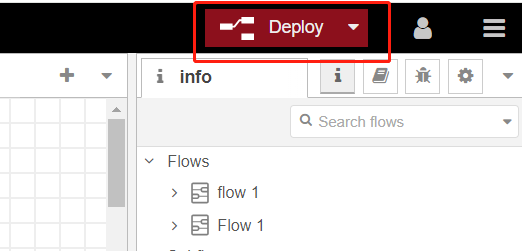
- 1. Click Deploy to save all node-red configurations.
- 2. Reboot the gateway to check if it take effect.
- 3. If you want to disable these rules, just delete this flow and reboot the gateway.
-------END-----
Was this article helpful?
That’s Great!
Thank you for your feedback
Sorry! We couldn't be helpful
Thank you for your feedback
Feedback sent
We appreciate your effort and will try to fix the article