Description
When connecting different types of Analog Input sensors (hereinafter referred to as AI devices) to the Milesight UC50x controller, there may be some wiring differences. This article takes two-wire and three-wire AI sensors as examples to illustrate how to connect AI devices to the UC50x.
Requirement
- Analog Input device
- Milesight Controller: UC50x
Configuration
Step 1:
First, you need to check what type of signal your AI device outputs. Our UC50x supports two input signal modes: 0–10V and 4–20mA.

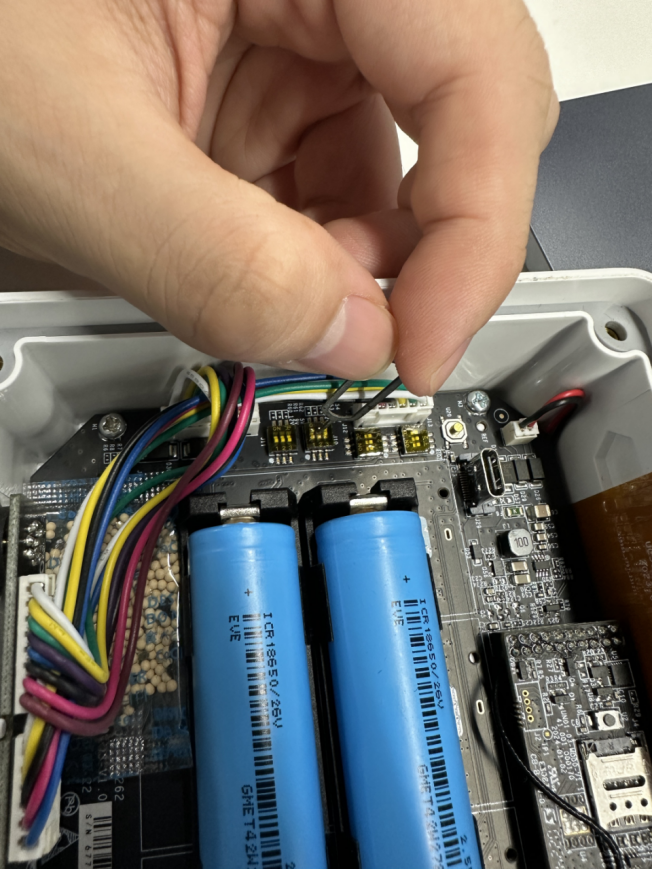
You need to open the back cover of the UC50x and set the corresponding AI input mode by toggling the DIP switch.
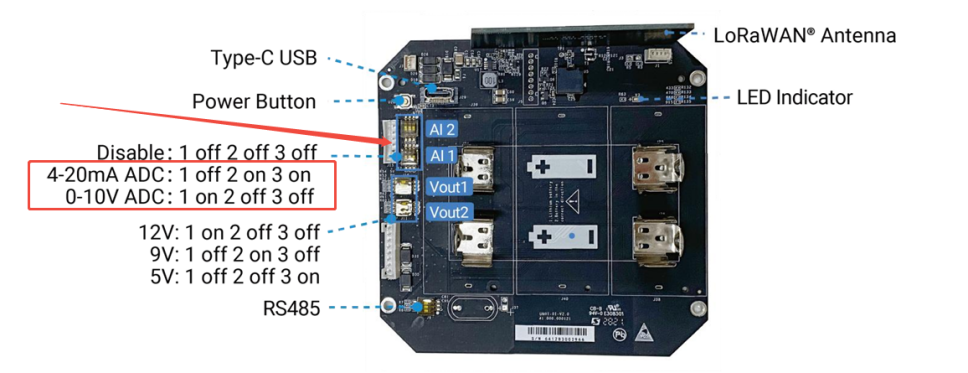
You can use a SIM ejector pin or other small objects to toggle the switch.
Step 2:
Confirm whether your AI device requires power supply from the UC50x, and what the required supply voltage is.(If you are not using UC50x for power and instead supply the AI device externally, you can skip this step.)
The UC50x supports power output of 5/9/12V short-term supply and 3.3V long-term supply. Enable 5V/9V/12V power output of interface 1 to supply power to analog devices. It’s 12V by default and you can change DIP switches to change voltage. If 5V/9V/12V power output is selected, the AI device will only be powered right before data collecting. Range: 0-600s.
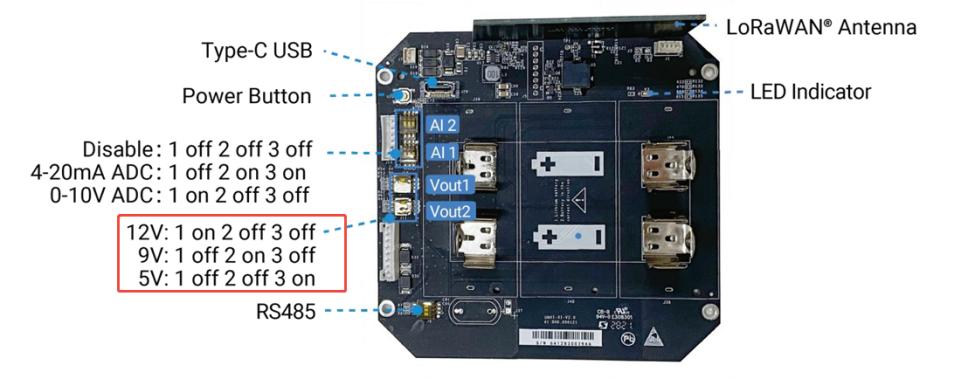
Depending on the required supply voltage of your AI device, you can select 5/9/12V output through the DIP switch, just like in Step 1.
Step 3:
Pin selection when connecting two-wire and three-wire AI devices to UC50x Interface 1
- 1. Two-wire AI device
Taking a two-wire pressure sensor as an example, if it requires power from the UC50x, connect the positive terminal to Pin 1 of UC50x Interface 1, and the negative terminal to Pin 4 or Pin 5, which are the Analog Input pins. In this case, a loop will be formed inside the UC50x.
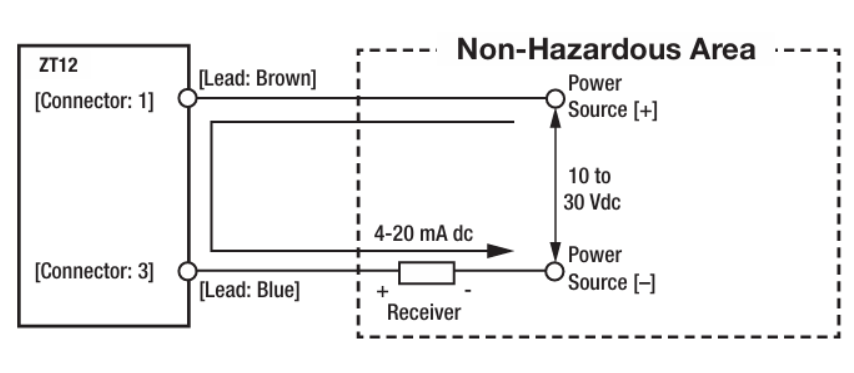
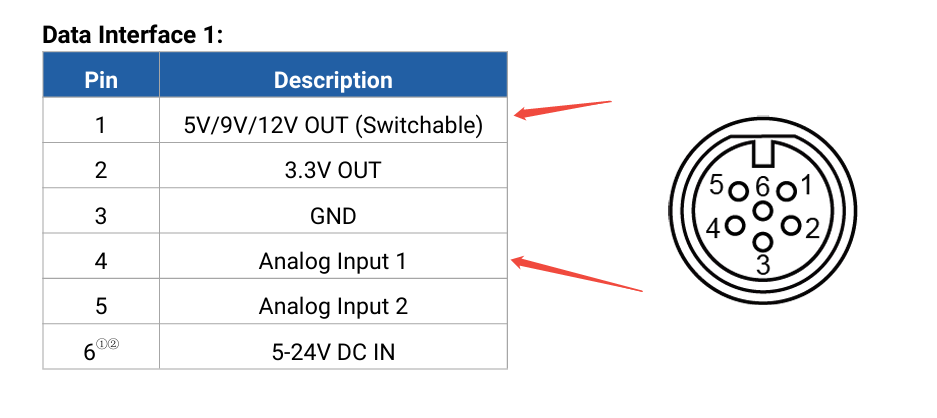
If the AI device is powered externally, simply connect the negative terminal of the power supply to Pin 4 or Pin 5.
- 2. Three-wire AI device
Taking another three-wire sensor as an example, if it requires power from the UC50x, connect the AI device’s positive terminal to Pin 1, the Analog out to Pin 4 or Pin 5. Unlike two-wire devices, the device’s negative terminal should be connected to UC50x’s GND, which is Pin 3.
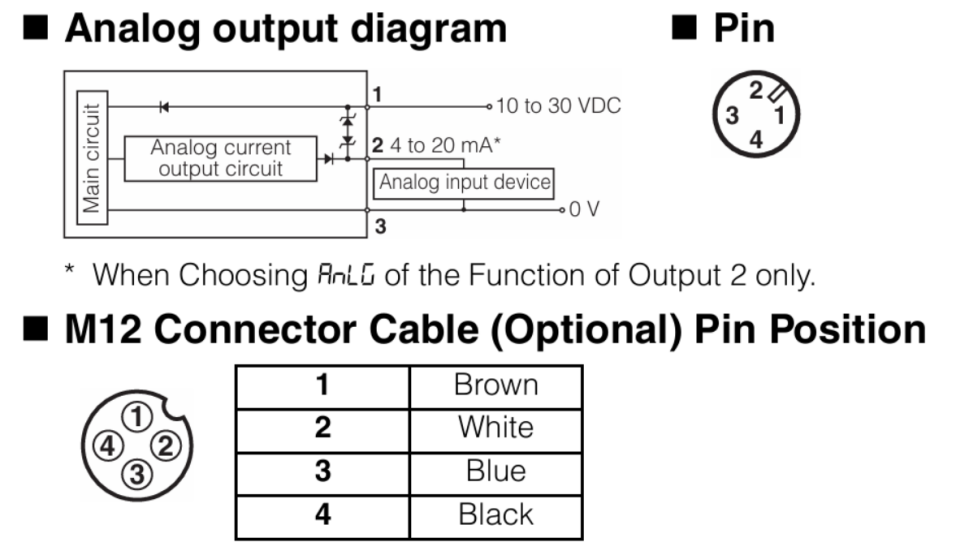
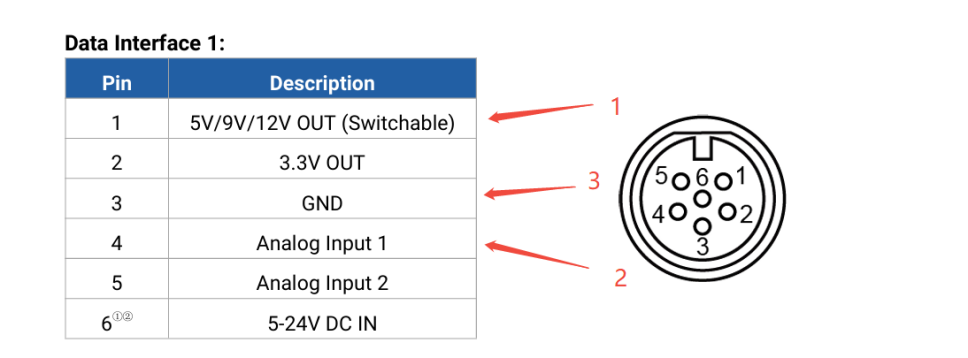
If external power is used, keep the original wiring and do not connect to Pin 1.
-------END-----
Was this article helpful?
That’s Great!
Thank you for your feedback
Sorry! We couldn't be helpful
Thank you for your feedback
Feedback sent
We appreciate your effort and will try to fix the article